
Video Downloader - without ads
Gamma PlayVideo Players & Editors
4.629.00 Reviews
- Version
- 1.0.33
- Installs
- 100.00K
- Age Rating
- Everyone
Screenshots
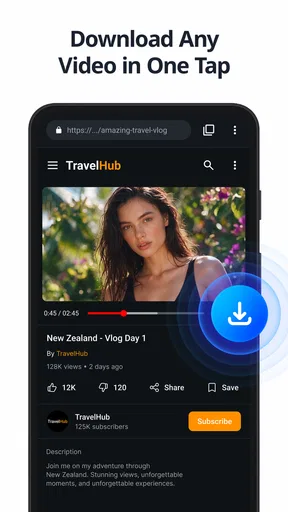
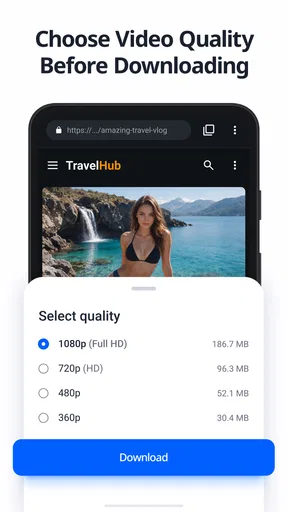

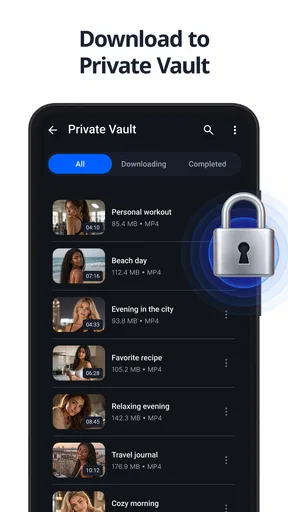
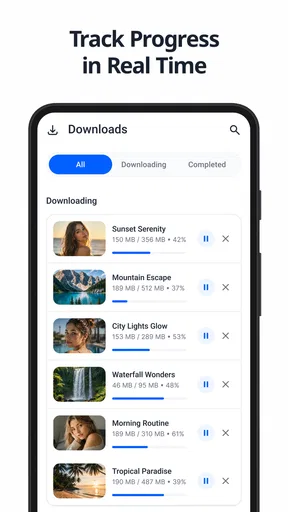
Our Review of Video Downloader - without ads
 Analysis by Appyee
I tried Video Downloader - without ads as a practical tool rather than as a novelty, and its appeal became clear quickly: it is designed to reduce the distance between finding a supported video and having a local copy ready to watch. The app comes from Gamma Play, sits in the video players and editors category, and is free to use. Its main promise is straightforward, but the useful question is whether that promise holds up when your connection is weak, your storage is limited, or you are handling several downloads instead of one.
My overall impression is that this is a focused downloader for people who want an uncomplicated way to save videos for offline viewing. It is not trying to replace a full editor, a media library, or a streaming subscription. That narrow purpose is a strength because the workflow is easier to understand. It also creates limits: the app is only as useful as the sites and videos it can work with, and downloading does not remove copyright restrictions or platform rules. I would use it for content I am allowed to save, not as a way around a service’s terms.
How Video Downloader - without ads handles everyday downloading
I find this app most useful when I decide what I need offline before I start: a lesson to revisit, or a few permitted videos for a journey. That small bit of planning helps me choose a sensible quality and avoid filling my phone with files I will not watch. The next thing worth understanding is how to make the first save a reliable test rather than a guess.
Fast setup and the first download
The first thing I noticed is that the app’s design is built around reducing manual steps. Its auto-detection approach is more convenient than copying a video address, opening a separate browser, switching back to a downloader, and then checking whether the address was recognized. When detection works, the process feels direct: find the video, let the app identify it, choose an available quality, and save it for later.
That convenience matters most on a phone. A desktop downloader can offer more controls, but it also expects more patience. On Android, I would rather avoid juggling several windows just to save one clip for a journey. Video Downloader - without ads is aimed at that kind of quick decision. The interface does not need to become a second project before the download begins.
The app supports video quality up to 4K, which sounds impressive, but I would not automatically choose the highest option. A high-resolution file can consume storage quickly and may be unnecessary on a smaller phone display. For a short reference clip, a moderate quality is usually the sensible choice. I reserve the top setting for videos where fine detail genuinely matters, such as a tutorial, a presentation, or footage I expect to view on a larger screen.
One useful habit is to decide where the saved file will be used before selecting quality. If I am preparing a few videos for a commute, I care more about predictable storage use and a reasonable transfer time than maximum sharpness. If the file is for close inspection, the larger version may be worthwhile. This simple choice prevents the common mistake of treating every download as if it needs the same setting.
What the speed promise really depends on
The app can make the steps around a download feel faster, but it cannot make the source connection or the phone’s connection faster. In practice, perceived speed comes from three separate parts: how quickly the video is detected, how responsive the download begins, and how long the file takes to finish. The first two are where a focused utility can feel better than a general browser. The final part still depends heavily on the file size, network conditions, and available storage.
I would not judge the app by expecting a 4K video to arrive instantly. High-resolution files are naturally heavier, and a busy network can turn a simple save into a wait. The more realistic advantage is that the app gives me a clear route to offline playback instead of making me repeat the same browser steps. That is a meaningful time saving over several downloads, even when the transfer itself is limited by the connection.
There is also a practical difference between starting a single download and preparing a small offline collection. One file can feel effortless, while several large files expose every weak point in a phone’s setup: free space, battery, connection stability, and the user’s willingness to monitor progress. I recommend beginning with the most important video, checking the result, and only then adding more. That approach makes it easier to catch a source or quality problem before it affects the whole batch.
Using it during heavy downloading
When I think about heavy use, I do not mean professional archiving. I mean the realistic situation where someone wants to save several videos before leaving home. The app is most comfortable when the task remains organized: choose sensible quality, keep an eye on free storage, and avoid treating a phone like an unlimited hard drive.
Storage is the first constraint I would watch. A phone can appear to have plenty of room until several high-quality videos, photos, messaging attachments, and application caches are counted together. Before a longer download session, I would remove files I no longer need and decide whether the saved videos are temporary. Offline viewing works best when I treat downloads as a rotating collection rather than permanent possessions.
Battery is another overlooked factor. Video downloading keeps the network active and may run for a while when files are large. I would start a demanding session while connected to power, especially if the phone is already low. This is not a criticism unique to this app; it is simply the trade-off of moving large media files over a mobile device. The app’s focused workflow helps with the process, but it cannot change the physical cost of transferring video.
For mobile data, I would be even more careful. A short clip at a moderate quality may be reasonable, while a long high-resolution file can use far more data than expected. Wi-Fi is the safer default for substantial downloads. If I had to use cellular data, I would choose only the videos I truly need and avoid selecting the highest quality automatically.
Stability and recovering from interruptions
Reliability is not only about whether a download starts. It is also about what happens when something goes wrong. Phones move between networks, screens lock, storage fills, and source pages change. A downloader earns trust when the user can understand the problem and recover without guessing.
My advice is to verify a small file before committing to a larger one. Open it offline, check that the picture and sound are present, and confirm that it appears where you expect. This catches issues early and gives you a dependable workflow for later downloads. It is especially useful when preparing travel material, because discovering a problem after leaving the network is much more frustrating than finding it at home.
If a transfer stops, I would first check the basics in a sensible order: connection strength, available storage, and whether the source video is still accessible. Restarting repeatedly without checking those points wastes time. A failed download caused by a full phone will not be fixed by trying the same file again. Likewise, a source-side change is not something a downloader can always overcome.
The recovery mindset is important because auto-detection can make the beginning feel automatic. Automation is helpful, but it should not encourage blind trust. I still want to know which video was recognized, which quality I selected, and whether the finished file can be played without a connection. Those checks take only a moment and make the app much more dependable in real use.
Who benefits from the offline workflow
A realistic example would be someone preparing for a long train ride. At home, I would collect a few permitted videos, choose a quality that fits the phone’s storage, and test one file in offline mode. The goal is not to create a huge library. It is to make sure the selected material is available when the signal becomes unreliable. In that scenario, the app’s value is convenience and preparation rather than raw download speed.
Students may also find the workflow useful when they need to review a permitted tutorial away from a stable connection. A downloaded lesson can be easier to revisit than repeatedly loading a page, particularly when pausing and scrubbing through explanations. I would still keep the original source context in mind and save only material that the creator or platform allows me to use offline.
It can suit families who want to prepare a small selection for a child during a journey, provided an adult handles the sources and storage. The Everyone content rating makes the app broadly accessible, but that rating does not mean every video available through the wider internet is appropriate for every viewer. The app’s rating describes the utility, not the content a person may choose to download.
I would skip it if I mainly want to watch videos inside their original services, where recommendations, subscriptions, captions, history, and creator support are more important than local files. I would also look elsewhere if I need detailed queue management, advanced file conversion, editing tools, or a specialized archival workflow. This is a focused downloader, not a complete media-production suite.
Device requirements and practical limits
The current release is version 1.0.28, and it runs on Android 7.0 or later. That gives it a useful reach across older Android phones, although compatibility alone does not guarantee a comfortable experience on every device. Older hardware may have less storage, slower internal memory, or more aggressive background management. Those limitations can matter more during large downloads than the app’s basic launch time.
On a modest phone, I would keep the workflow conservative. Start with one video, avoid filling the last part of internal storage, and test playback before saving several more. If the device has a small screen, there is also less reason to favor 4K unless the extra detail is genuinely useful. A lower resolution can be a better match for the display and leave room for more content.
Users with newer phones and ample storage have more flexibility, but they still should not confuse available resolution with a requirement. A high-quality file may look excellent while offering little visible benefit on a compact display. The best setting is the one that balances clarity, storage, transfer time, and the length of time you expect to keep the file.
Because the app is free, it is easy to try without making a financial commitment. That makes a short compatibility test worthwhile: install it, use a permitted video, save a modest file, disconnect from the internet, and play it back. This tells you more about whether the workflow fits your phone than a feature list can. It also lets you establish a personal routine for storage and quality before relying on it for travel.
How it compares with the usual alternatives
The most obvious alternative is the browser. A browser is more universal for discovering content, but it is not necessarily the smoothest tool for saving and organizing local video. Moving between pages, copying addresses, and locating a finished file can become repetitive. Video Downloader - without ads has a clearer single-purpose advantage when the user already knows what they want to save.
Official offline viewing inside a streaming service is often better when it is available and permitted. It keeps the content connected to the platform’s playback features and may handle account access, captions, and recommendations more naturally. The trade-off is that those downloads usually remain inside that service’s environment. A separate downloader is more appealing when the user needs an ordinary local file and has the right to save it.
Desktop download managers can be preferable for people handling many files, comparing formats, renaming everything carefully, or maintaining a large archive. They generally offer a larger workspace and more detailed controls. The Android app wins on immediacy: it is already on the device where the video will be watched. I see it as a convenience tool for personal offline use, not a replacement for a full desktop workflow.
Video editors are another poor comparison if the goal is simply saving a clip. An editor adds trimming, effects, captions, and timelines, but those features also add complexity. This app makes more sense when editing is not part of the task. If I need to cut sections, combine clips, or prepare a finished project, I would use a dedicated editor after obtaining content through an appropriate method.
Small habits that make the app more dependable
The most useful habit is to test offline playback before you leave the network. A file that appears in a download list is not as valuable as one that actually opens with sound and picture when the connection is gone. I would test the first saved video every time I change quality settings or use a new source type.
I would also give files a clear purpose in my own storage routine. Temporary travel videos should be removed after the trip, while reference material can be kept in a dedicated folder if the phone’s file organization allows it. This prevents the quiet buildup that makes later downloads fail. The app can save the video, but the user still needs a simple housekeeping plan.
Another useful trade-off is choosing quality according to viewing distance. For a phone held close, moderate quality may be perfectly comfortable. For a tablet or a larger screen, higher quality can be justified. Selecting based on the actual display avoids spending data and storage on detail that will never be noticed.
Finally, I would treat auto-detection as a shortcut, not as a guarantee that every page will behave identically. If a video is embedded, restricted, removed, or presented through a source the app cannot interpret, the workflow may stop at detection. In that situation, the right response is to use the platform’s permitted offline option or another legitimate method, rather than endlessly repeating the same attempt.
My performance verdict
Video Downloader - without ads succeeds because it keeps its purpose narrow. Gamma Play has made an app for saving videos to watch later, with automatic detection, offline playback, and support for quality up to 4K. In my experience, the strongest performance benefit is perceived simplicity: fewer manual handoffs and a clearer path from a video page to a local copy.
I would recommend it to Android users who regularly need permitted videos available without a connection and who prefer a direct mobile workflow. Its free price and Everyone age rating make it easy to consider, while its average rating of 4.7 from around 1.9 thousand ratings suggests that the basic idea is landing well with users. It has passed over 100 thousand installs, so it is not an obscure experiment, but I would still judge it by how well it fits my own sources and phone.
The app is less suitable for people who expect every online video to be downloadable, who need advanced queue and archive controls, or who want editing features in the same package. Its speed will always be shaped by the network and file size, and its reliability depends partly on storage, battery, and source availability. Those are important boundaries, not reasons to dismiss it.
My final view is positive, with sensible expectations. I would install Video Downloader - without ads when my priority is quick, local access to videos I am allowed to save. I would choose a browser, an official offline feature, or a desktop manager when the task demands broader compatibility, platform integration, or serious collection management. Used for the job it was built to do, it is a practical addition to an Android phone rather than an overloaded media toolbox.
Verdict
Strengths of Video Downloader - without ads
- Downloads videos quickly for offline viewing.
- Ad-free experience keeps the interface clean and distraction-free.
- Supports multiple video formats and quality options.
- Simple interface makes saving videos easy for beginners.
- Downloaded files can be accessed without an internet connection.
Limitations of Video Downloader - without ads
- May not support downloads from every video-sharing platform.
- Some features may require access to device storage.
- High-quality downloads can use considerable storage space.
- Download speeds depend heavily on your internet connection.
- Sharing downloaded videos may be restricted by copyright rules.
Other Releases by Gamma Play
View All
QR & Barcode Scanner
Tools4.8
Similar Picks in This Category
View All
Google TV
Google LLC3.9

iTunes
Apple4.7

YouTube
Google LLC3.8

MX Player
Amazon Mobile LLC4.2

CapCut - Video Editor
Bytedance Pte. Ltd.3.5

PLAYit-All in One Video Player
PLAYIT TECHNOLOGY PTE. LTD.4.5
Frequently Asked Questions
What is Video Downloader - without ads?
Video Downloader - without ads is an app designed to help users save supported online videos directly to their mobile device for later viewing. Its main appeal is a cleaner experience without advertising interruptions. Before downloading, users should understand that the app may work only with certain websites or video formats, and availability can depend on the source platform’s technical restrictions and terms of service.
How do I download a video with Video Downloader - without ads?
After opening the app, users generally copy a video link from a supported website or use the app’s built-in browsing and sharing options, then paste or submit the link for processing. The app may offer different quality or format choices before saving the file. Download speed depends on the video host, internet connection, device storage, and selected resolution.
Is Video Downloader - without ads completely free to use?
The app is promoted as an ad-free video downloading tool, but “without ads” does not always mean that every feature is free. Some versions may include optional purchases, premium tools, limitations on download quality, or restrictions on simultaneous downloads. Check the current store listing and in-app information carefully before downloading, especially if you want unlimited access without additional charges.
Where are downloaded videos saved, and can I watch them offline?
Downloaded files are usually stored in the app’s designated folder or in a location selected through the device’s file manager. Once the download has finished successfully, videos can normally be played without an internet connection, provided the format is compatible with your phone or tablet. Available storage is important, particularly when saving high-resolution videos or multiple files.
Is it legal and safe to download videos using this app?
The app itself may provide a technical way to save videos, but users remain responsible for how downloaded content is used. Downloading copyrighted material without permission can violate laws or a platform’s terms of service. Only save videos you own, have permission to download, or that are explicitly offered for offline use. Also review requested permissions and download the app from a trusted source.
